Portraits · Image play
Step into everyday 80s life from your portrait
Create an 80s photo from one clear adult portrait, with an everyday street or home scene around you. Choose India or the United States as the setting, reveal the next scene and change it before generating if you prefer. The 80s direction comes from the surroundings, clothing and photographic treatment together. Review your face and the period details before keeping the result. This is a new fictional 80s image, rather than a photograph of your own past.
Create yours
One clear adult face. Use a photo you have permission to edit.
Best input:
Show the whole face and eyes in even light, without sunglasses or heavy filters.
An ordinary adult portrait is enough; the background and everyday clothing are generated.
This version supports one adult, not children, couples or groups.
Enable JavaScript to upload privately and create your image.
Everyday 80s photo examples
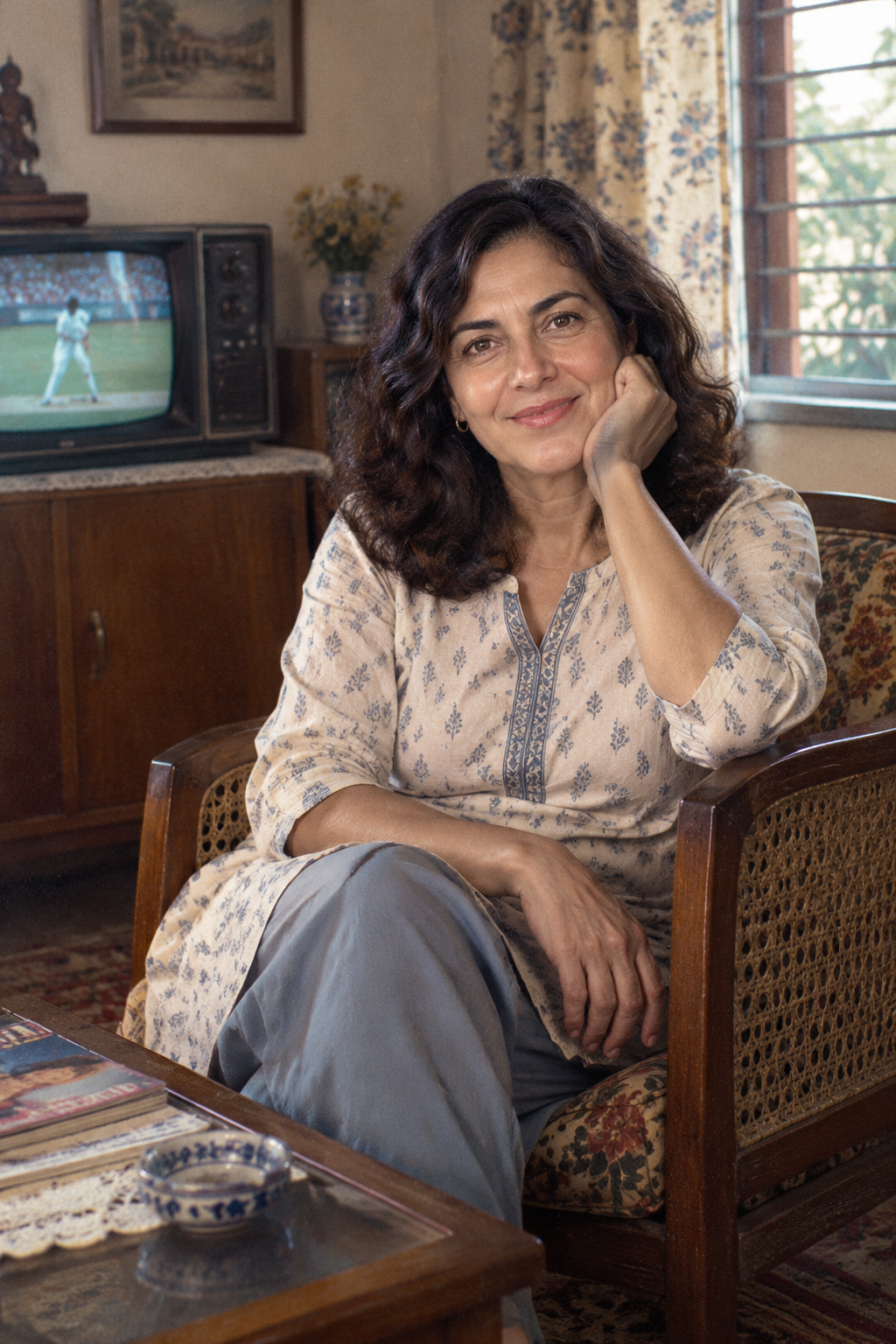
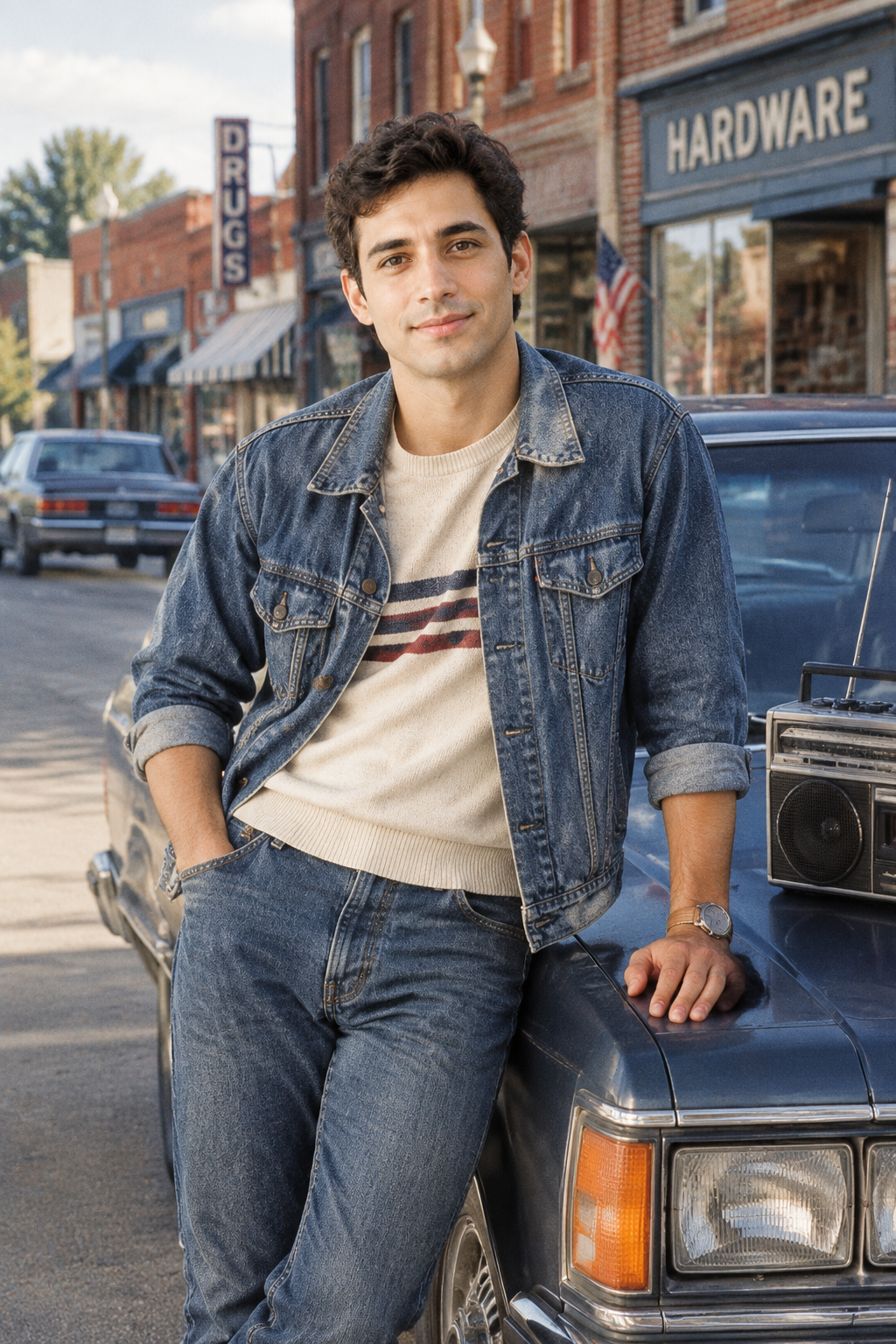
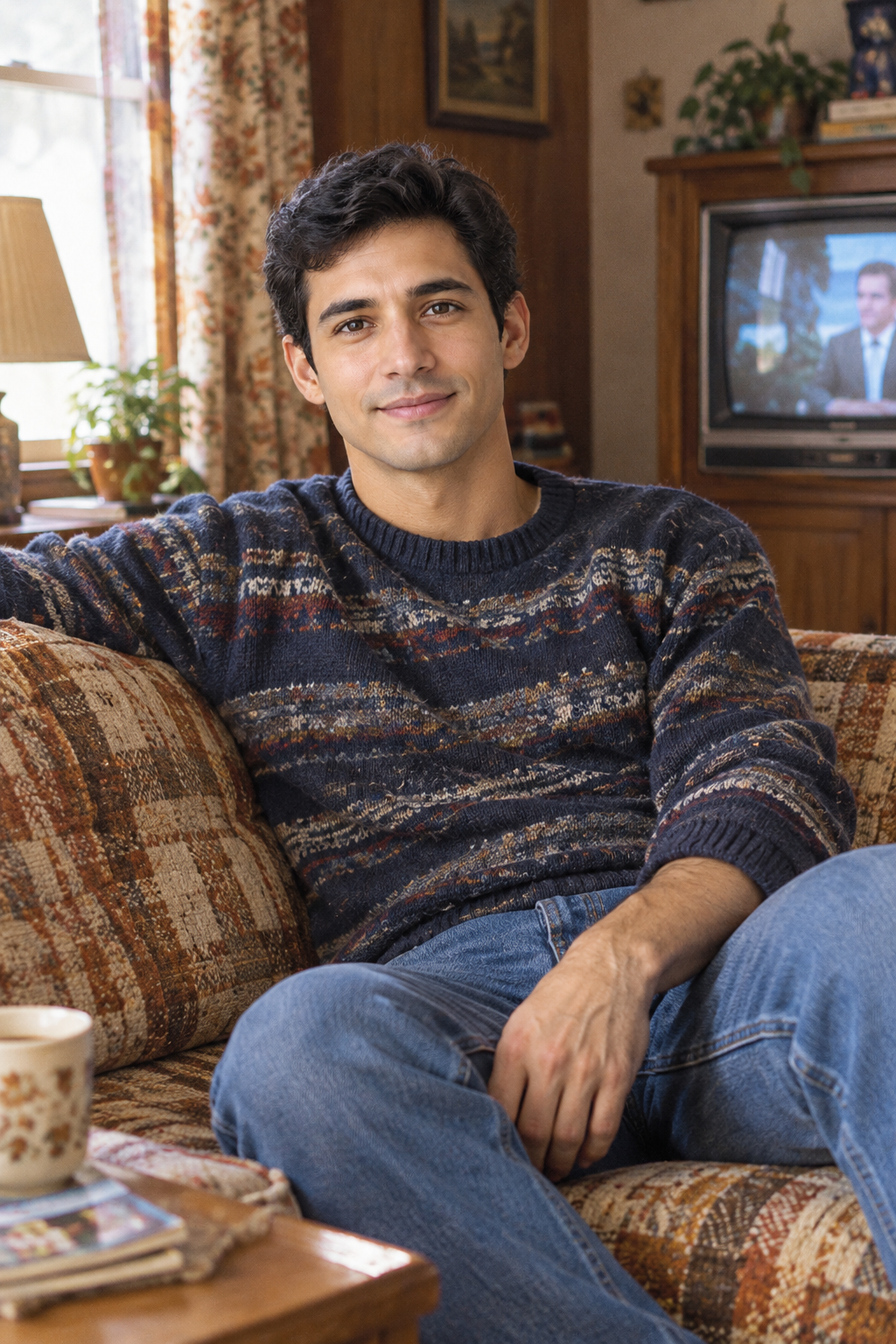
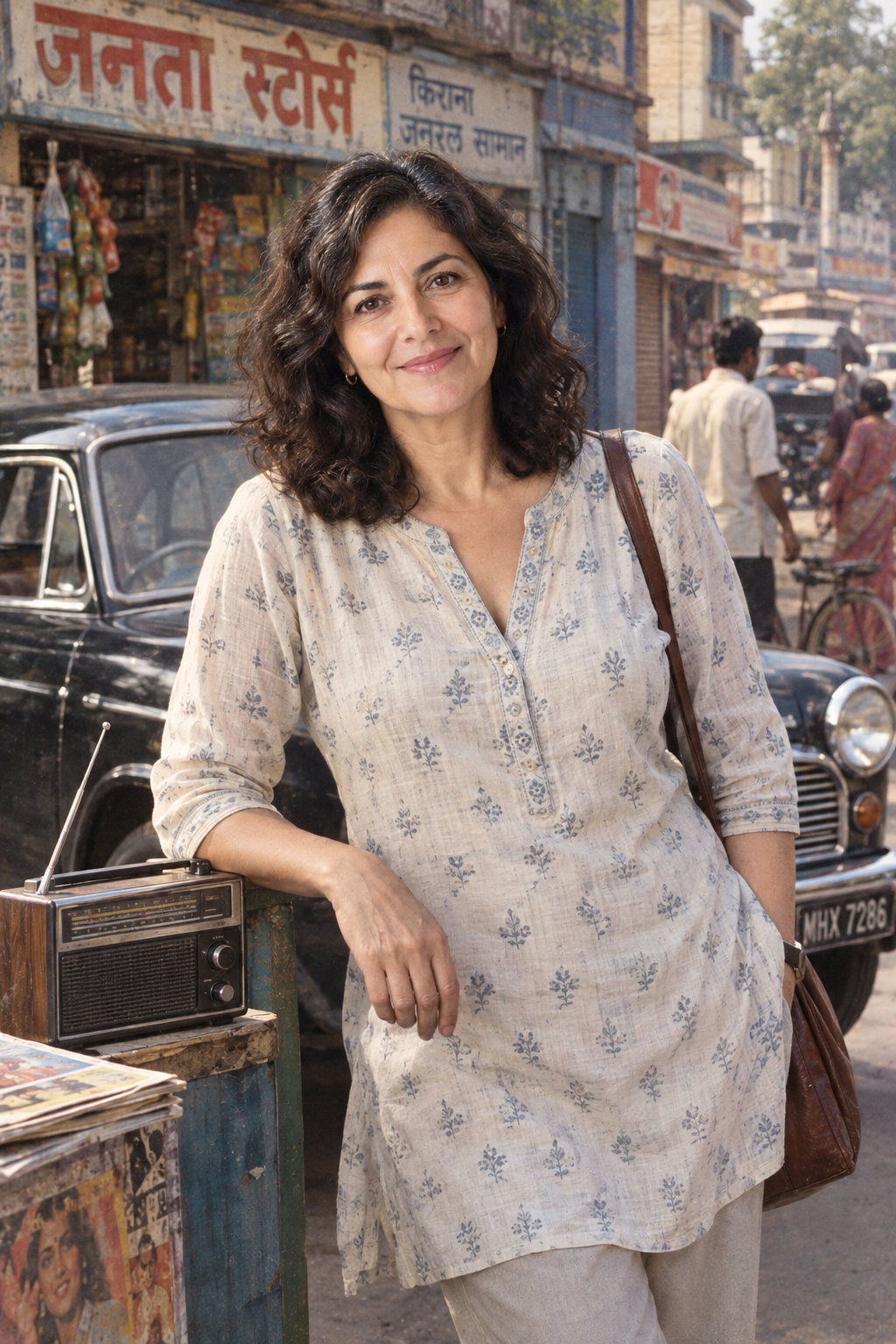
How to create your 80s scene
- Upload one clear photo of one adult you have permission to edit.
- Choose India or the United States as the setting. Reveal your random street or home scene, then change it if you want.
- Generate one photo. Check the face, surroundings and period details before keeping or downloading it.
One clear adult face. Use a photo you have permission to edit.
Choose the region for your 80s scene
Region / cultural setting offers India and United States. Choose the surroundings you want to explore, rather than treating the choice as a statement about your background. An 80s scene in an Indian town and an 80s scene in a United States small town give the image different environmental directions. Your face is the portrait reference, not evidence of nationality. You select the 80s setting yourself; the page does not infer it from appearance or automatically choose it from your location.
Use the four example combinations to compare India on the street, India at home, United States on the street and United States at home. Together they show two regions crossed with two settings, not a catalogue of every community in either country. Each 80s example is a newly generated interpretation. Choose the 80s environment that interests you, while remembering that a broad country-level choice cannot represent every local tradition, climate or household from an entire decade.
Reveal and change your 80s setting
Choose a region first to reveal your next scene. The two directions are A day on the street and An afternoon at home. You can view the selection before generating and ask for another if the first 80s moment is not what you want. The random choice concerns the setting, while the decade stays in the 80s. It is useful to decide whether you want an outdoor 80s environment or the more contained surroundings of a living room before continuing.
The street direction places the adult in an outdoor moment with shopfronts, a period-car direction and a portable radio. The home direction uses a living room, furniture and a small wood-cased CRT television. These details help distinguish the two 80s scenes, but they are generated parts of the picture. Changing the region keeps the selected street or home direction. Check the displayed combination before generating your 80s photo, especially after exploring a different regional setting.
Let the 80s clothing follow the surroundings
The clothing supports an everyday 80s moment rather than a ceremonial costume or a formal studio portrait. The India direction guides ordinary cotton clothing, such as a shirt or kurta with plain trousers. The United States direction guides everyday denim or knitwear. These are generated styling directions for the 80s scene, not separate outfit selections. You do not need to wear 80s clothes in the reference; choose a photograph that makes your face easy to see instead.
Read the outfit together with the environment. An 80s street scene should feel like someone spending time outdoors, while an afternoon at home should belong naturally with the room around them. Review seams, hands and the boundary between clothing and body, alongside any furniture or vehicle. The aim is an integrated 80s photograph. A plausible outfit does not verify the manufacture date of a garment, the exact model of a car or every object in the room.
Prepare one adult portrait with a visible face
Use one clear photograph of one adult, with the whole face and eyes visible in even light. Avoid sunglasses, heavy filters or a crop that hides the head outline. A simple contemporary portrait is enough for an 80s photo because the original clothing and location are replaced during generation. Choose a source you have permission to edit. The 80s scene is built around that single person; this version does not offer children, couples or a group-photo input.
Keep the source nearby so you can compare recognizable features after creating the 80s image. The intended treatment carries the adult's appearance into a new setting, including skin tone, approximate age and hair, without changing ethnicity to match the region. That intention is not an identity guarantee. If the input is blurry or the face is small, judging an 80s result becomes harder. A clear source gives your fictional 80s moment a more useful reference for review.
Check the person and the period details together
Review the 80s photo in two passes. First compare the face, skin tone, adult age and hair with the upload. Look closely at eyes and mouth rather than relying on the overall resemblance. Then inspect the 80s environment for coherent objects, perspective and lighting. The street should read as an outdoor setting and the home as an interior. An appealing 80s treatment can still include a softened face, an awkward hand or a distracting background detail.
Next look for objects that pull the image out of the decade, such as a smartphone, flat-screen television or recent-looking car. Also inspect small furniture and vehicle details without assuming they are historically exact. The four 80s combinations each provide one example, which cannot establish accuracy across every new output. Save your 80s image as fictional period-inspired photography, and keep the source if you want to explain what changed. It does not document your family history or an ancestor's actual surroundings.
80s photo questions
Does the region choice identify my nationality?
No. You choose India or United States as the surroundings for a fictional 80s scene. The portrait guides your appearance; it is not used to decide your nationality or ethnicity. This version does not automatically set a region from your location. Pick the 80s environment you want to explore, then review the face and skin tone in the output. The person should remain recognizable without being altered to fit a presumed regional identity.
What is random, and can I change it?
After you select a region, the page reveals a street or home direction for your 80s image. You can see that choice and request another before generating. The random selection does not choose an exact year or move outside the 80s decade. Check the displayed region and scene together before continuing. The selection describes the next setting; the actual pose, clothing, furniture or vehicle details are still generated within that direction.
Can I choose an exact year or a particular outfit?
The current controls choose the regional surroundings and the street or home scene. They do not provide a precise year or a separate wardrobe menu. The 80s look is generated from clothing, environment and photographic treatment together. Compare the examples for the broad direction rather than expecting an exact historical costume. Your 80s photo can include new details, so inspect the result instead of treating any garment or object as a verified period reference.
Will the result show accurate 80s furniture and vehicles?
The scene requests period-inspired surroundings, but it cannot guarantee every furniture item, vehicle or small prop is historically accurate. Judge the 80s impression alongside visible details and look for modern objects or inconsistent shapes. The four combinations demonstrate different 80s settings, not a measured historical success rate. Keep the 80s image as a fictional creative result; use reliable records or specialist references when an exact object, place or date matters to your project.
Can I use an old family photograph or a group picture?
This 80s version uses a single adult portrait to create a new scene. It does not restore the original moment or offer a group input. For damage repair, use old photo restoration; for an existing family group, consider the family portrait page. An 80s photo here changes the surroundings and clothing around the reference adult. Choose this option when you want an imagined 80s experience, then compare the face and treat the new setting as fictional.