Halloween looks · Image play
Put your pet in a Halloween costume
Upload one clear pet photo. Get a realistic Halloween costume photo — pumpkin, little ghost, hot dog and more — that keeps their fur and markings. Uses 1 creation when it succeeds. Private by default.
Create yours
One clear photo of a single pet. Everyday phone photos work. Your upload stays private by default.
Best input:
One sharp photo of a single pet, face in focus and near the camera.
Avoid blurry shots, heavy filters and photos with several animals.
Enable JavaScript to upload privately and create your image.
Creation examples
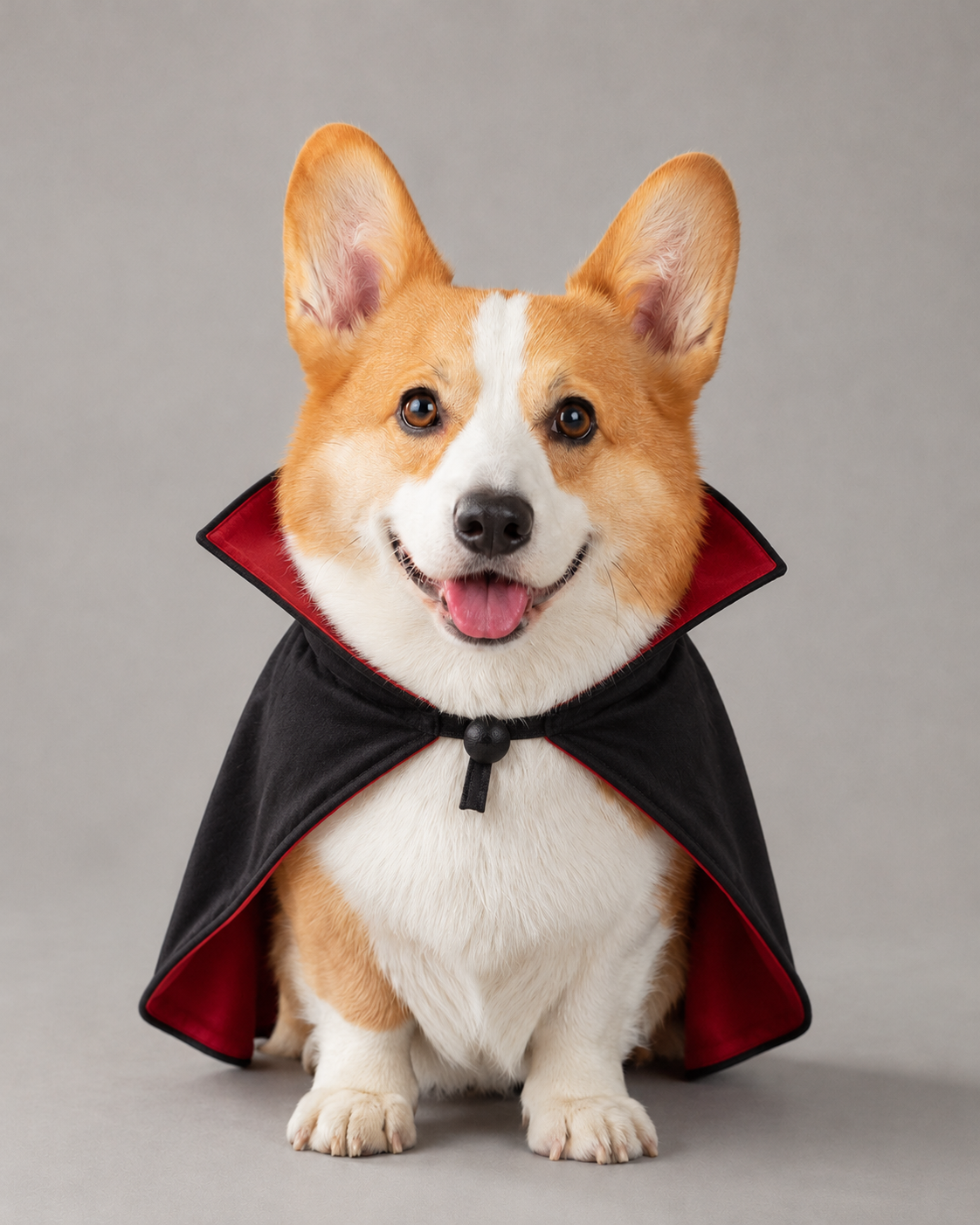
One example from a synthetic corgi photo, using Vampire cape and Keep my background. Compare the face, fur, pose, grey backdrop and matte floor with your own result.
How to create this image
- Upload one clear photo of a single pet — face, eyes and markings visible.
- Pick a costume and a scene, or keep your own background.
- Create, check the markings still match your pet, then download or share. Failed runs don't use a creation.
One clear photo of a single pet. Everyday phone photos work. Your upload stays private by default.
Get the result you want
Shoot at your pet's eye level
Get down to their height so the face fills the frame — eyes and muzzle hold likeness best.
Use soft daylight
Window light or open shade shows true fur color. Flash and night shots can shift coat color.
Show the markings you love
Patches, spots, stripes and eyebrow dots should be visible in the photo; hidden ones can't be kept.
Pick a costume that leaves the face open
Pumpkin, cape and bat wings keep the whole face visible. Little ghost and hot dog frame it.
Compare before you share
Check eye color and markings against your photo. Try another costume if something drifted.
Keep my background has limited coverage
This example preserves a plain grey backdrop and matte floor. Detailed rooms and busy outdoor backgrounds have not been verified.
Avoid unwanted results
Several pets in one photo
One pet per upload. Crop to a single animal.
Blurry, dark or filtered photos
Soft focus, night shots and beauty filters hide fur markings.
Famous characters or mascots
Original classic costumes only. No movie, game or brand characters, and no famous animals.
Gruesome or scary-real looks
Cute and spooky only — no injuries or gruesome effects.
What you can control
You choose
- Your pet photo
- Costume
- Scene
FunnyBanana creates
- Costume fitted to your pet's pose
- Halloween scene or softly lit original background
- Fur color, markings and eye color kept from your photo
Common creation questions
Do I need to dress my pet up?
No. Upload an everyday photo — the costume is added in the image, so your pet never has to wear anything.
Will it still look like my pet?
Breed, fur color, markings and eye color from your photo guide the result. Compare it with your upload, and try again with a closer, clearer photo if a marking drifts.
Which pets work?
This example shows one corgi in a Vampire cape while keeping a simple grey backdrop and matte floor. Other pets, costumes, scenes and busy backgrounds are not verified by this example. Review likeness and background before sharing.
Can I send it as a Halloween greeting?
Yes. Download the image or Share an unlisted link to send it to friends and family or post it.
Can my pet dress as a famous character?
No. Original classic costumes only — no movie, TV, game or brand characters, and no famous animals.
How many creations does one image use?
One image uses 1 creation; failed runs use none. If no image is delivered 30 minutes after submission, the reservation is automatically released. Still-valid allowance returns to its original batch; expired or revoked allowance is not renewed. We check the original task for 72 hours after release. A late image that passes safety checks is delivered privately at no extra charge. This releases a creation, not a cash refund; cash refunds follow our Terms and Refund Policy.
How long does it take?
Generation time can vary. You'll only use 1 creation if it succeeds.
Are my pet photos private?
Yes. Uploads and results stay private by default. We don't train on your photos to build competing models. Only you can choose to Share an unlisted link.